How do I Apply for a Job on the Job Board?
Written by Daphne Lim - Updated
Once you've joined the KIS Slack server, you'll be able to join #Job-board
#Job-board is one of the channels on the KIS Academics Slack server. If it's not visible for you right now, click on the white "+" sign next to "channel" when you hover over it, and then click on "Browse channels". In the list that subsequently pops up, scroll down until you find #Job-board and click "Join".
How do I apply for a Job?
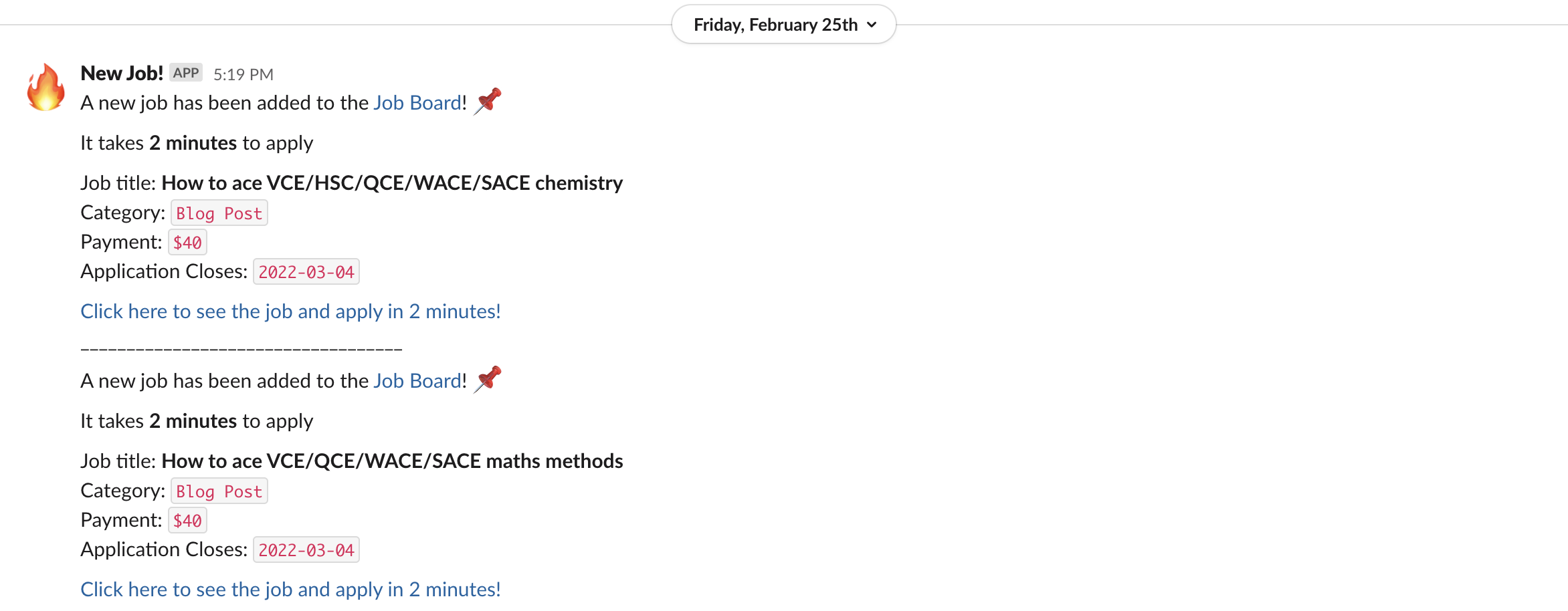
Every time a new job is added, you'll receive a notification to #Job-board with a link to apply. From there, you can view the job descriptions of all positions currently available. Clicking on "Apply" will take you to an application form that walks you through the process. It's super easy and intuitive, and applications only take 2 minutes.
How will Payment work?
We will transfer the funds to you through the KIS App. So you still need to get the KIS App set up: How do I sign up to the KIS App?
The specific pay amount for a job will be posted on the Job Board listing itself, so please check that to see how much you should be receiving. For marking assignments, refer to this article: Marking Service Payment Structure
If you have any questions, feel free to shoot us a message on the #help channel on Slack, or send an email to contact@kisacademics.com
Relevant Articles:
- What is the KIS Job board?
- Marking Guidelines for Assignment Marking tasks on the Job Board
- Marking Service Payment Structure